Prevent out of stock problems with our B2B portal
Being out of stock is the “good news/bad news” scenario in commerce. The good news? Orders are rolling in. The bad news? You don’t have enough inventory to fulfill them. It’s not just inconvenient—it can hurt both your brand and your bottom line.
There are a number of reasons why products can go out of stock: supply problems, unexpectedly high customer activity and inaccurate sales forecasts are just a few.
The solutions are just as varied, but often come with some kind of drawback. Safety stock could become stagnant inventory that ties up resources and warehouse space. Consignment inventory gives you less control over your goods and may not be practical for some businesses.
But if you leverage your B2B commerce portal in the right way, it can become a reliable, economical and above all hands-off tool that can help prevent inventory shortages from ever occurring in the first place.
In this blog, we’ll focus on how our B2B Commerce Platform can help you block out and manage inventory shortages, but these lessons can still be adapted for use in other platforms (assuming they have the correct sets of features in place).
1. Real-time stock updates
When your business loses count of how much inventory is bought and sold, it’s almost a guarantee a stockout will occur. This may be due to manual inventory tracking, or confusion about when inventory is counted as a sale and deducted from stock counts.
Our platform solves this by keeping a running tally of every item sold. This inventory tracking can work across different locations, so if a single order needs to pull stock from different warehouses, all the relevant locations will be updated after the transaction. This works for both variant inventory levels and for inventory groups like packages or kits.
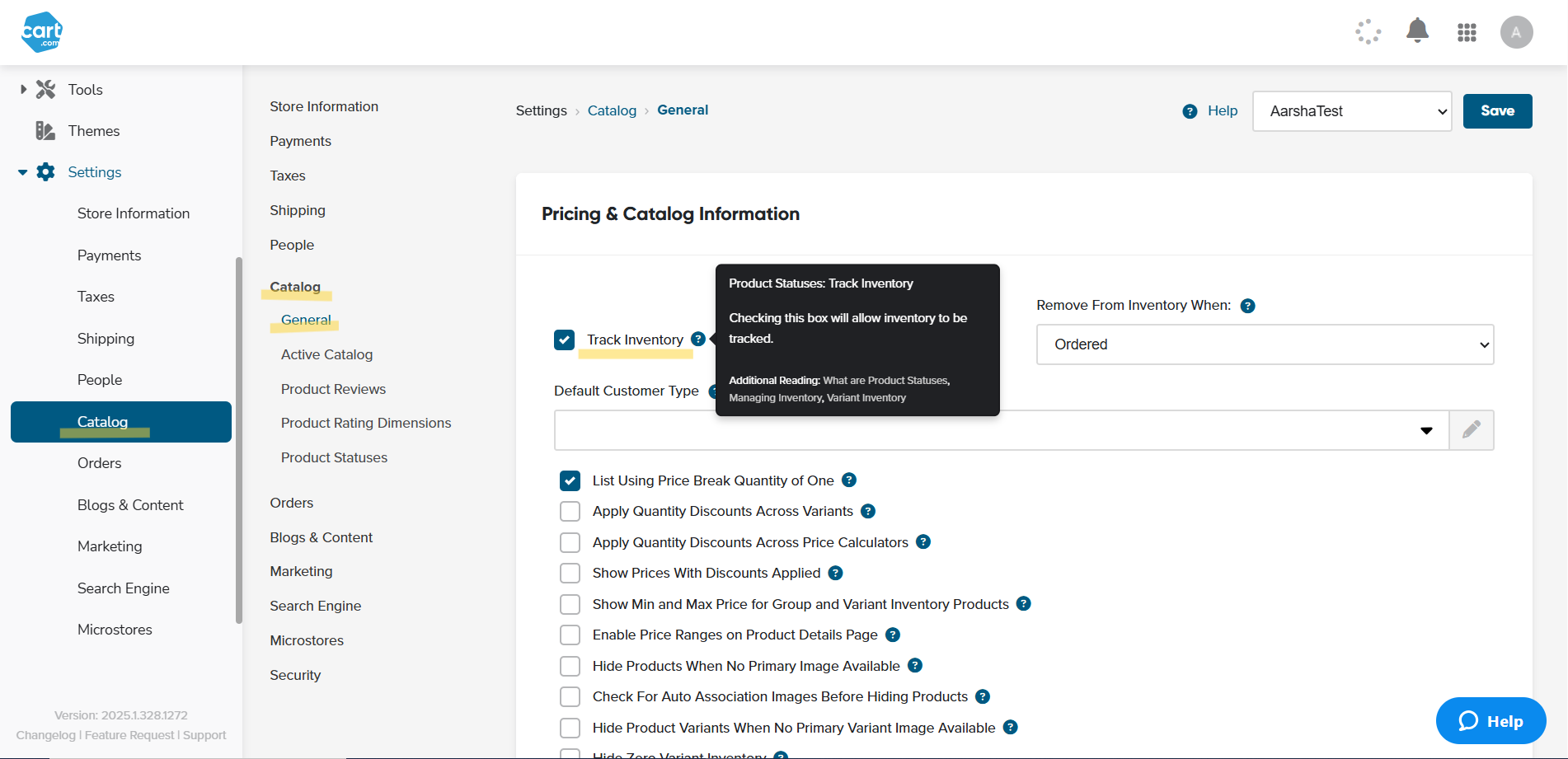
The platform also lets you define exactly when sold items should be removed from inventory counts:
- When the order is placed.
- When the order's payment is approved.
- When the order is marked shipped.
This up-to-the-minute stock update should help you track current inventory levels and help you calculate customer trends for more accurate forecasting. It also helps enable just-in-time (JIT) inventory management for predictable steady-demand items.
2. Show Quantity On Hand
If a customer knows that you don’t have enough stock, will they still buy it? Not likely!
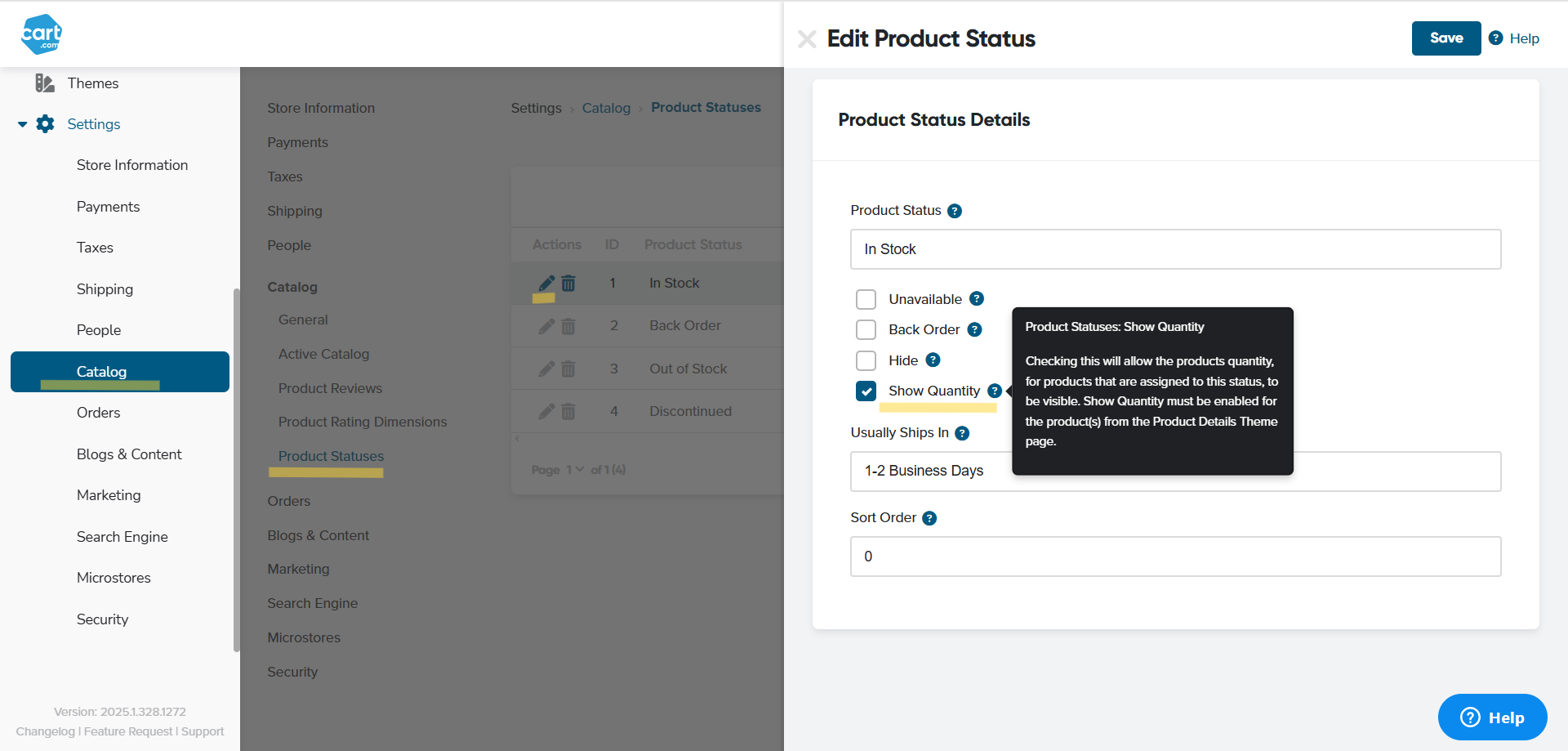
That’s why the platform lets you show the quantity on hand right there in the product page, so that customers can see for themselves whether or not you’ll be able to fulfill an order. It’s an excellent preventative measure that reduces the number of customer-triggered stockouts.
3. Set items on backorder
Changing a product’s status to back order means that customers can still order it even if it reduces the inventory count to below zero. Having a negative inventory value is usually considered a bad thing, but there are situations where it can work to your advantage.
For instance, you can use it for fast-moving items that are quickly replenished. Yes, the customer will have to wait a little longer to get their order, but at least they’ve gotten a commitment from you that the order will be fulfilled. And your cash flow won’t be disrupted either, which is nice.
You can then set up in-stock notifications to alert customers and other team members when the replenishment comes in and they can buy as normal.
Want to learn how our B2B portal can help you stay ahead of inventory shortages? Connect with one of our commerce specialists. We’re here to answer your questions and help you find the right solution.